(1)Log in to the enterprise backend
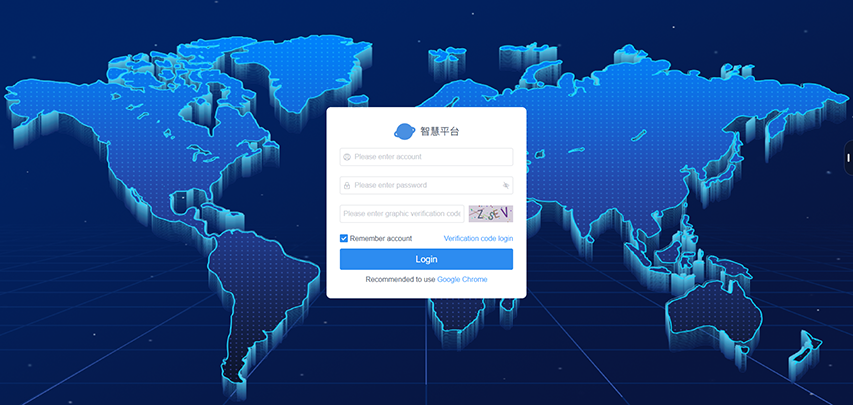
- Visit the backend URL, then enter your enterprise account and password to log in to the enterprise backend.
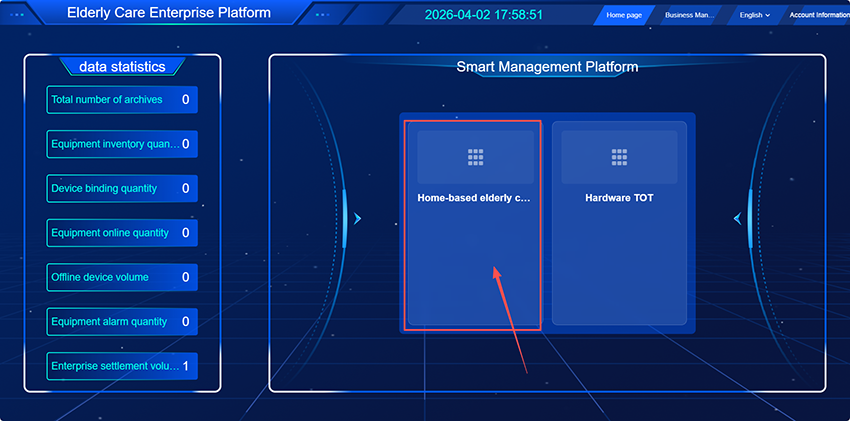
(2)Access the Enterprise Page:
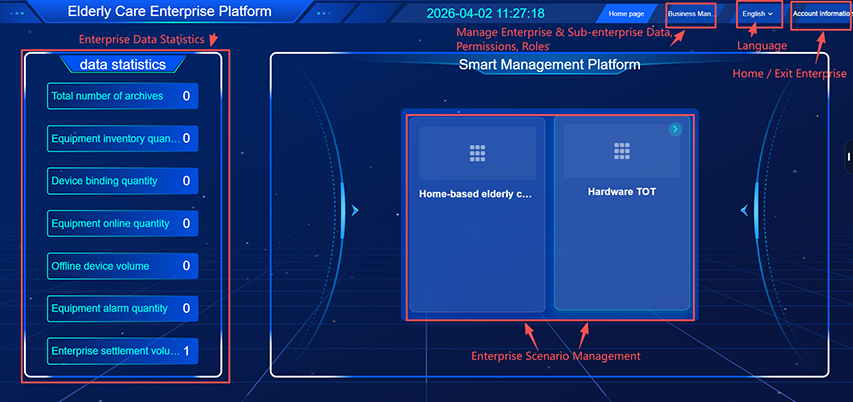
- View enterprise data statistics, archives, device quantities, and more; it supports creating independent management pages divided by scenarios for separate control. You can enter the corresponding scenario to perform management. Under Enterprise Management, you may manage information, permissions, employee roles, staff accounts, and other content for both the current-level and subordinate enterprises.
(3)Click to enter "Enterprise Management"
- Enter the management page, which displays the superior enterprise and the number of devices. You can independently manage enterprises, supporting adding enterprise platforms and editing enterprise information. You can manage enterprise accounts, permission groups, and employee roles, and support adding roles and accounts.
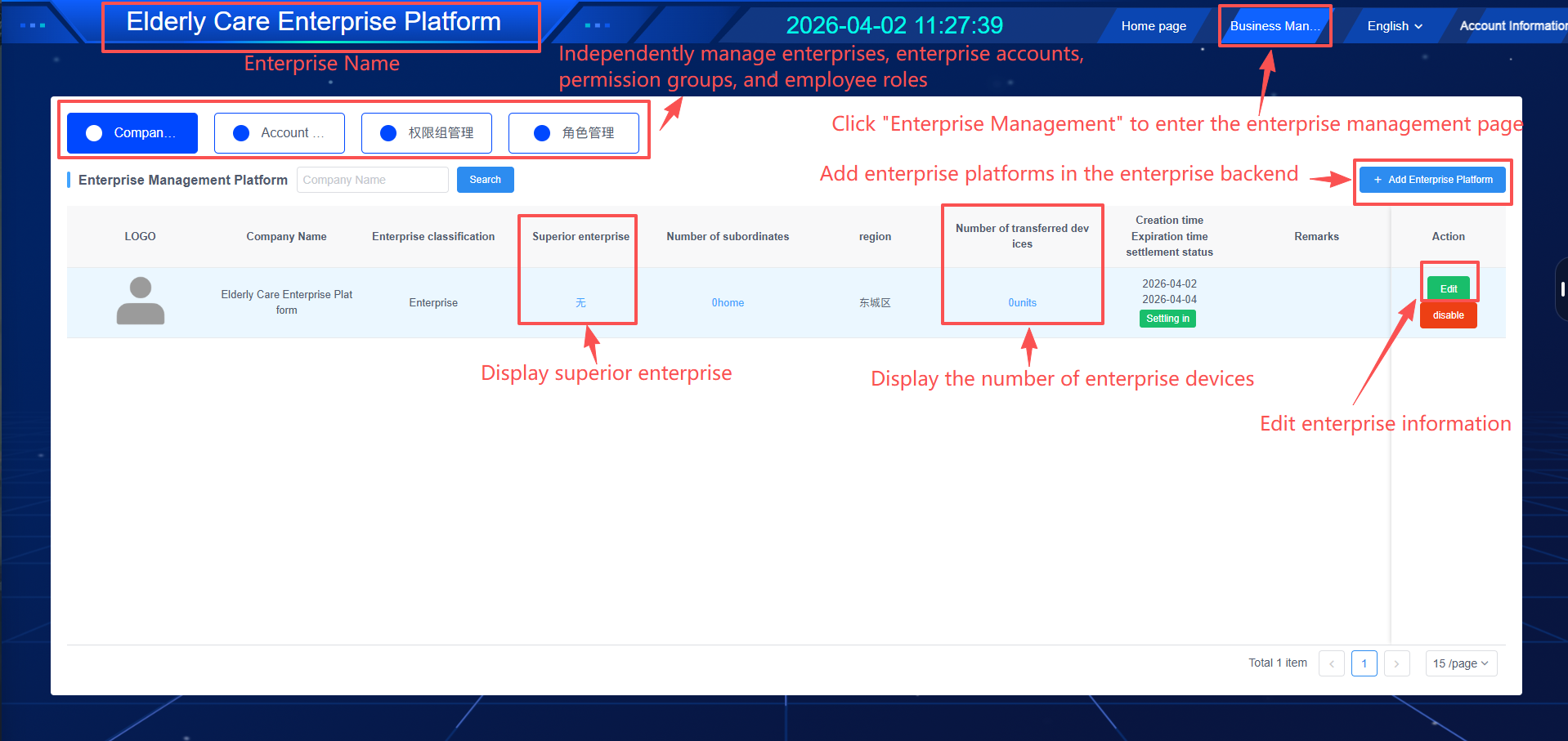
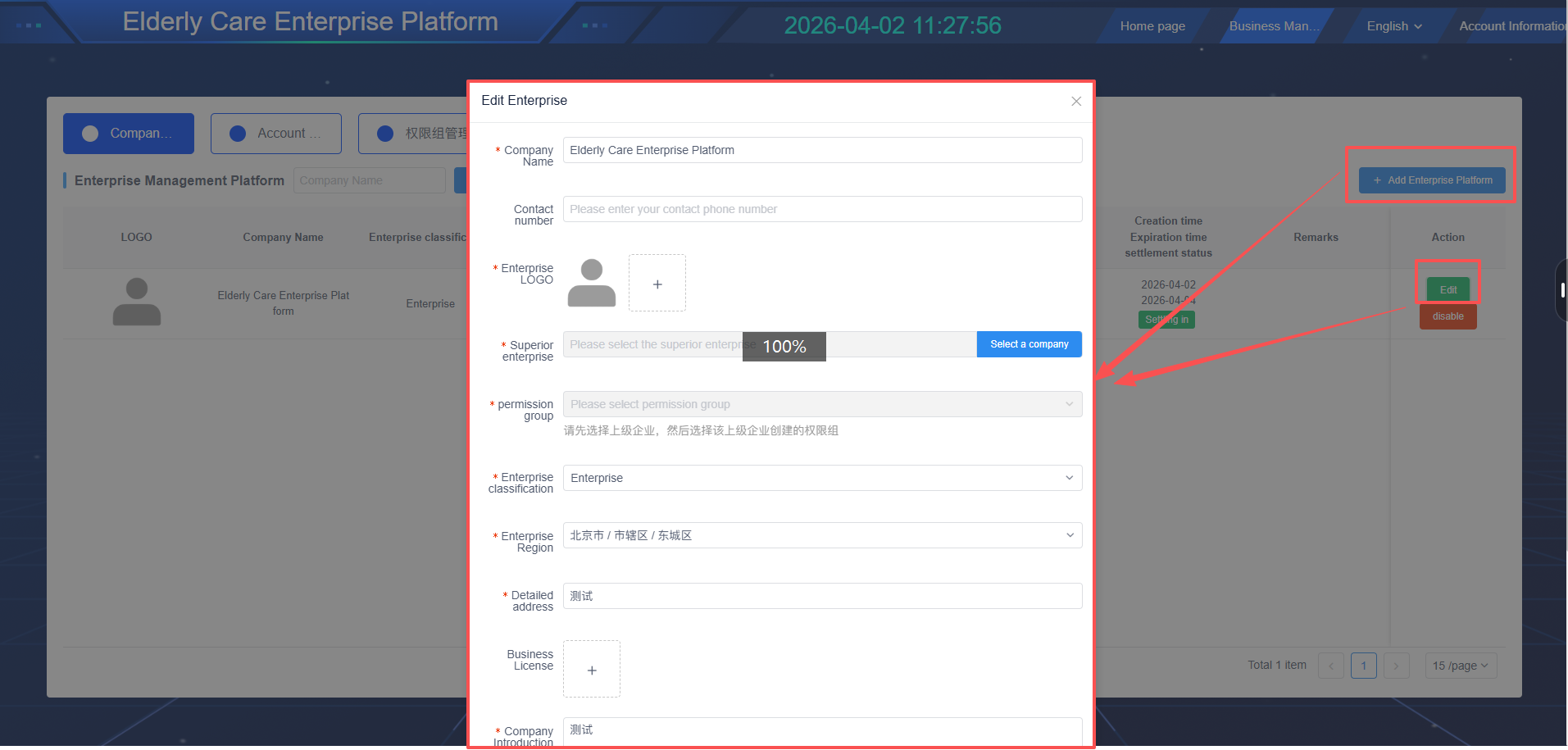
(4)Enterprise List (Create Enterprise)
- Add an enterprise platform or edit enterprise information.
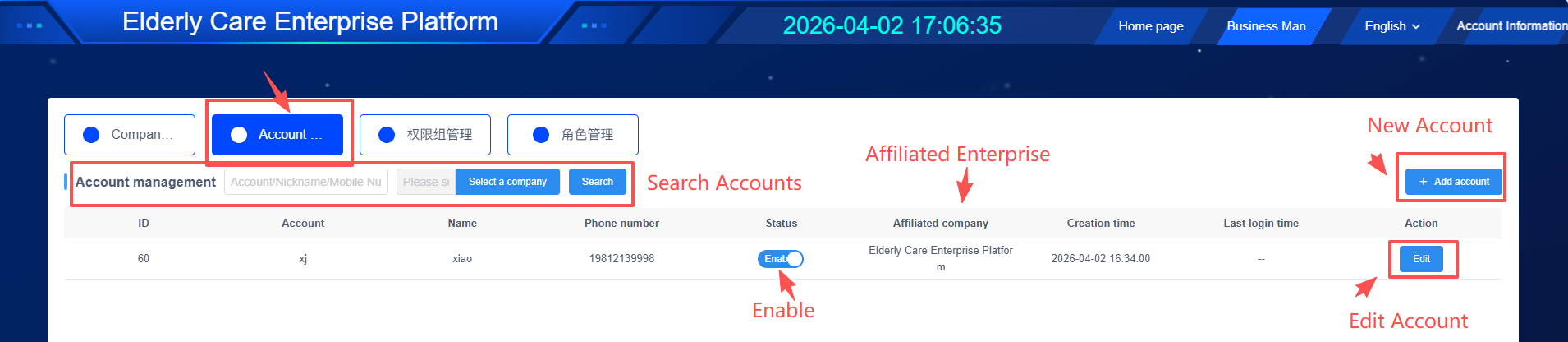
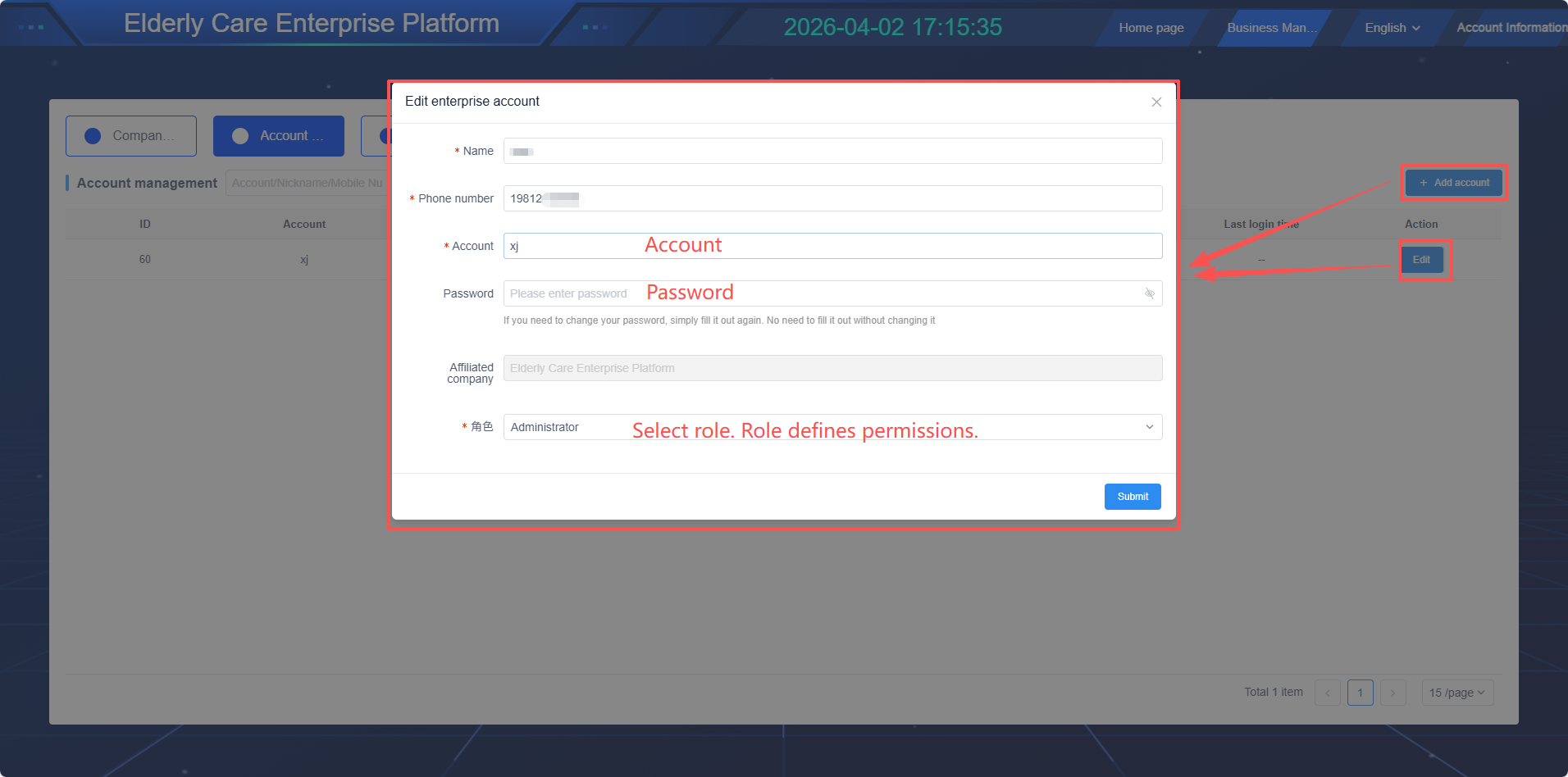
(5)Account Management (Create Enterprise Login Accounts)
- Add new accounts or edit existing accounts
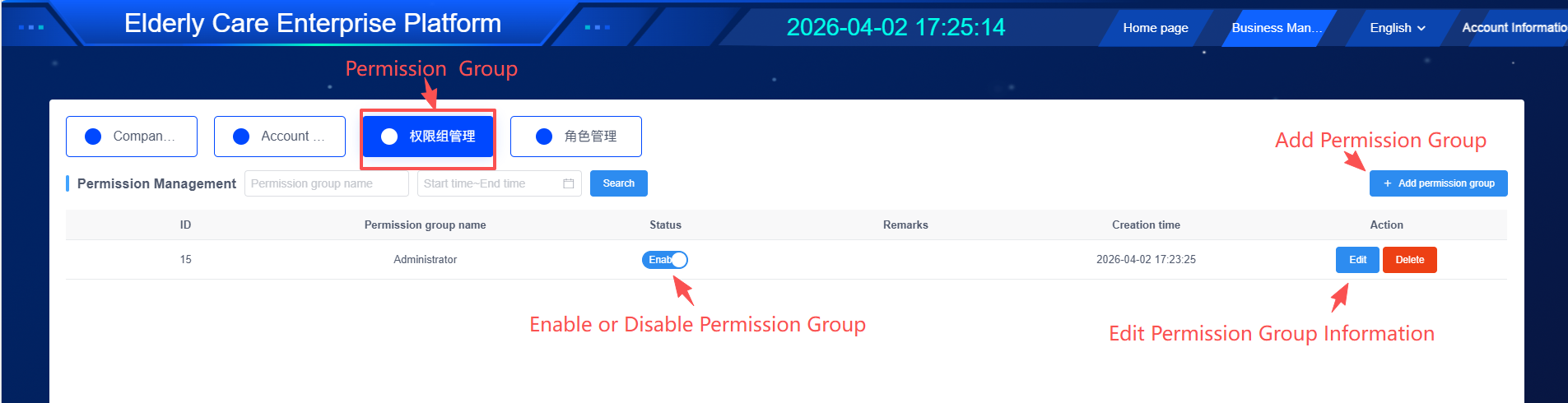
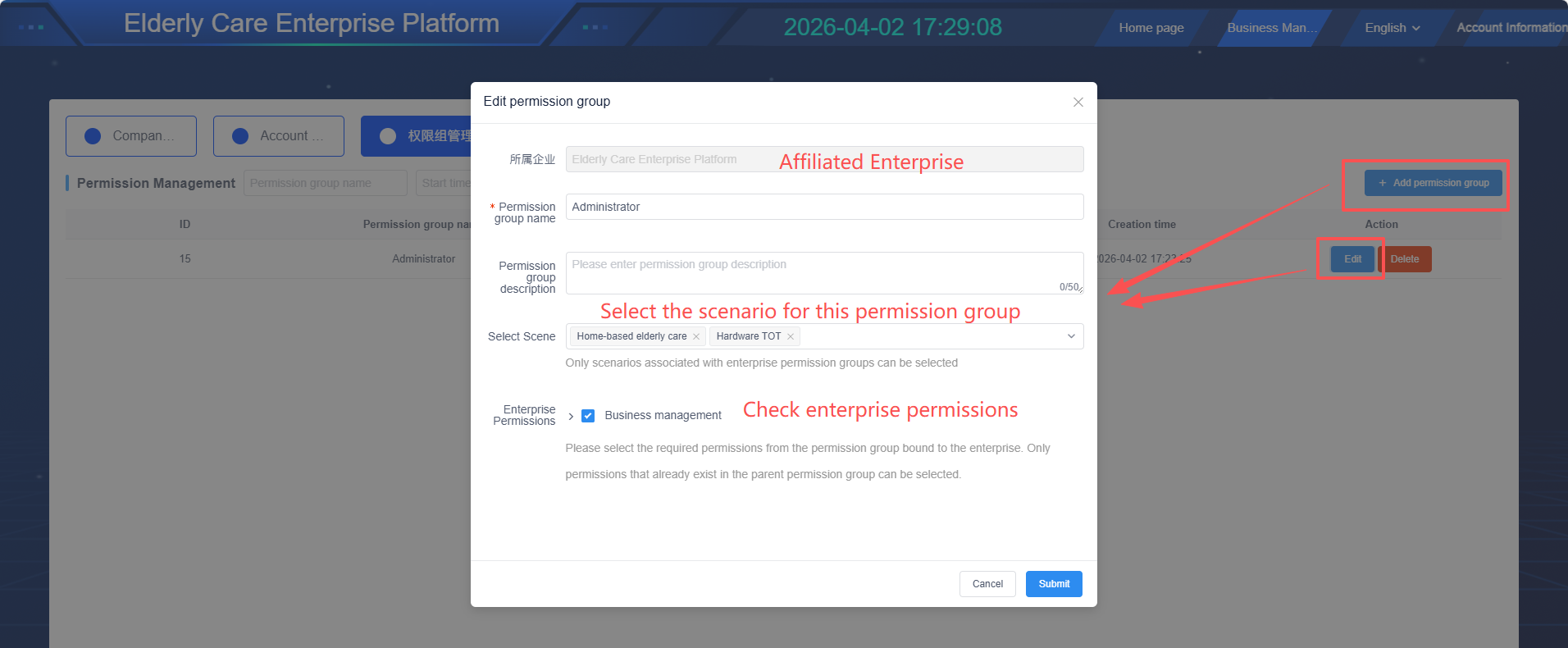
(6)Permission Groups (Create Enterprise Permissions, Independent Permissions Can Be Created for Different Enterprises)
- Add new permission groups or edit existing permission group information
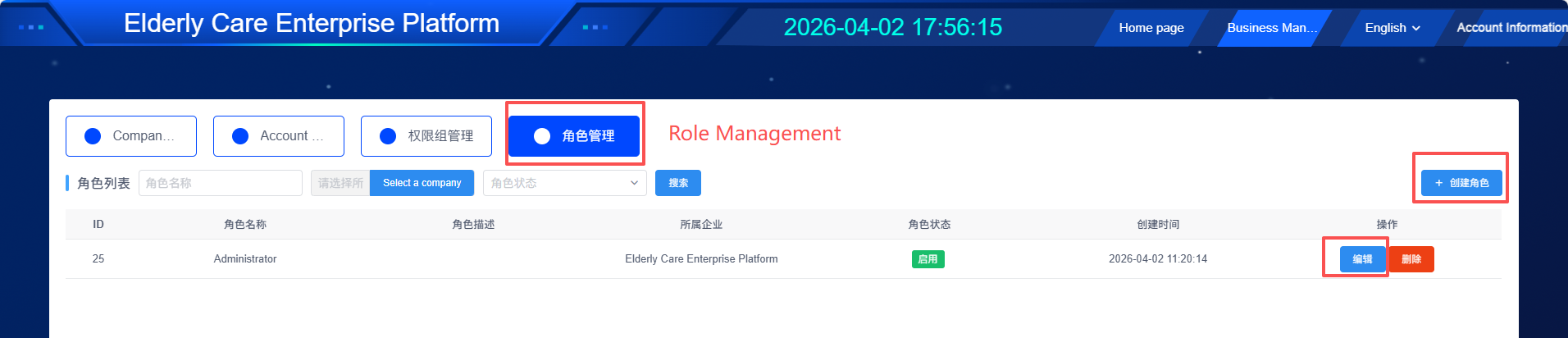
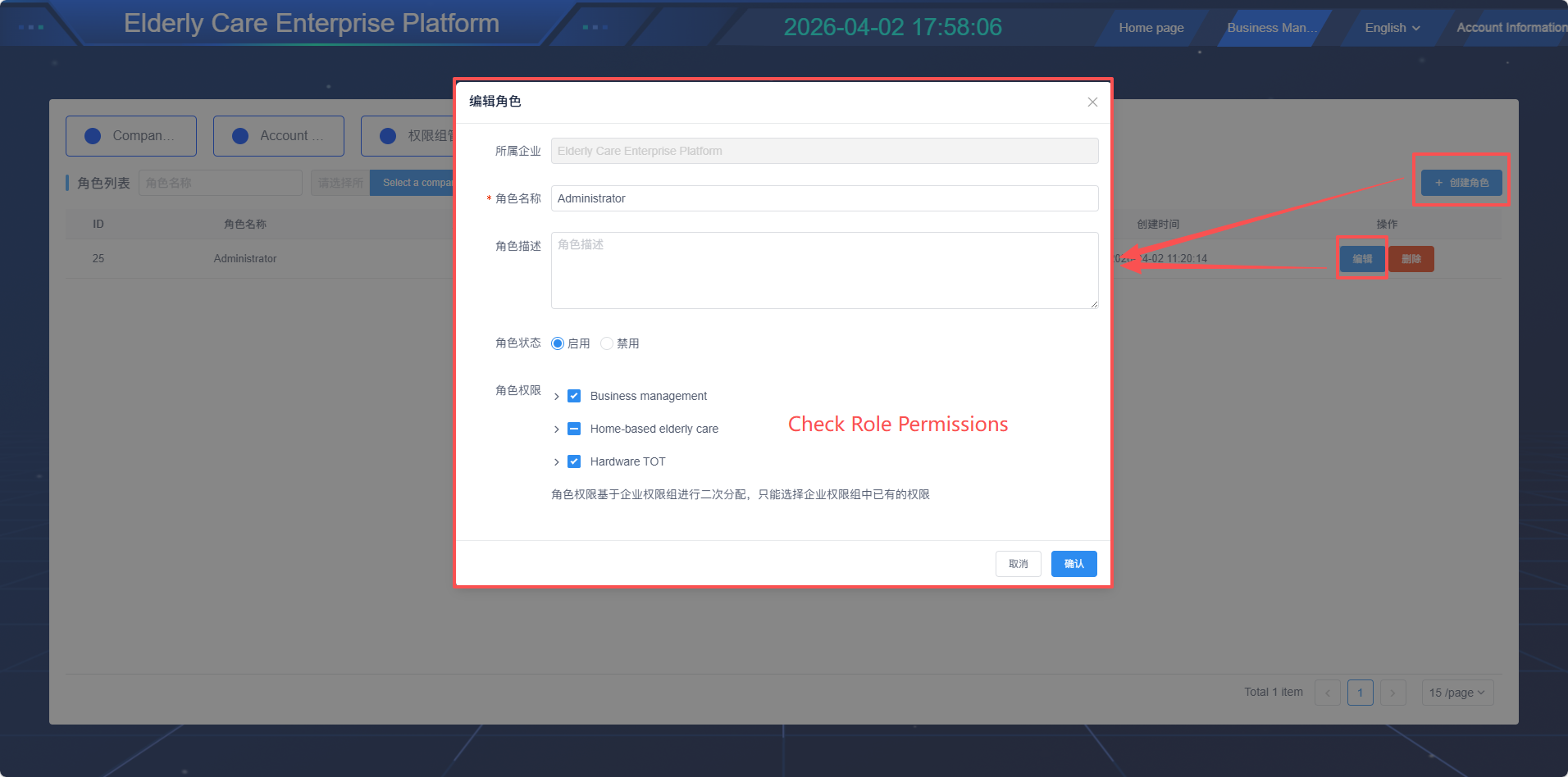
(7)Role Management (Employee Permissions for the Enterprise)
- Add new roles or edit existing roles
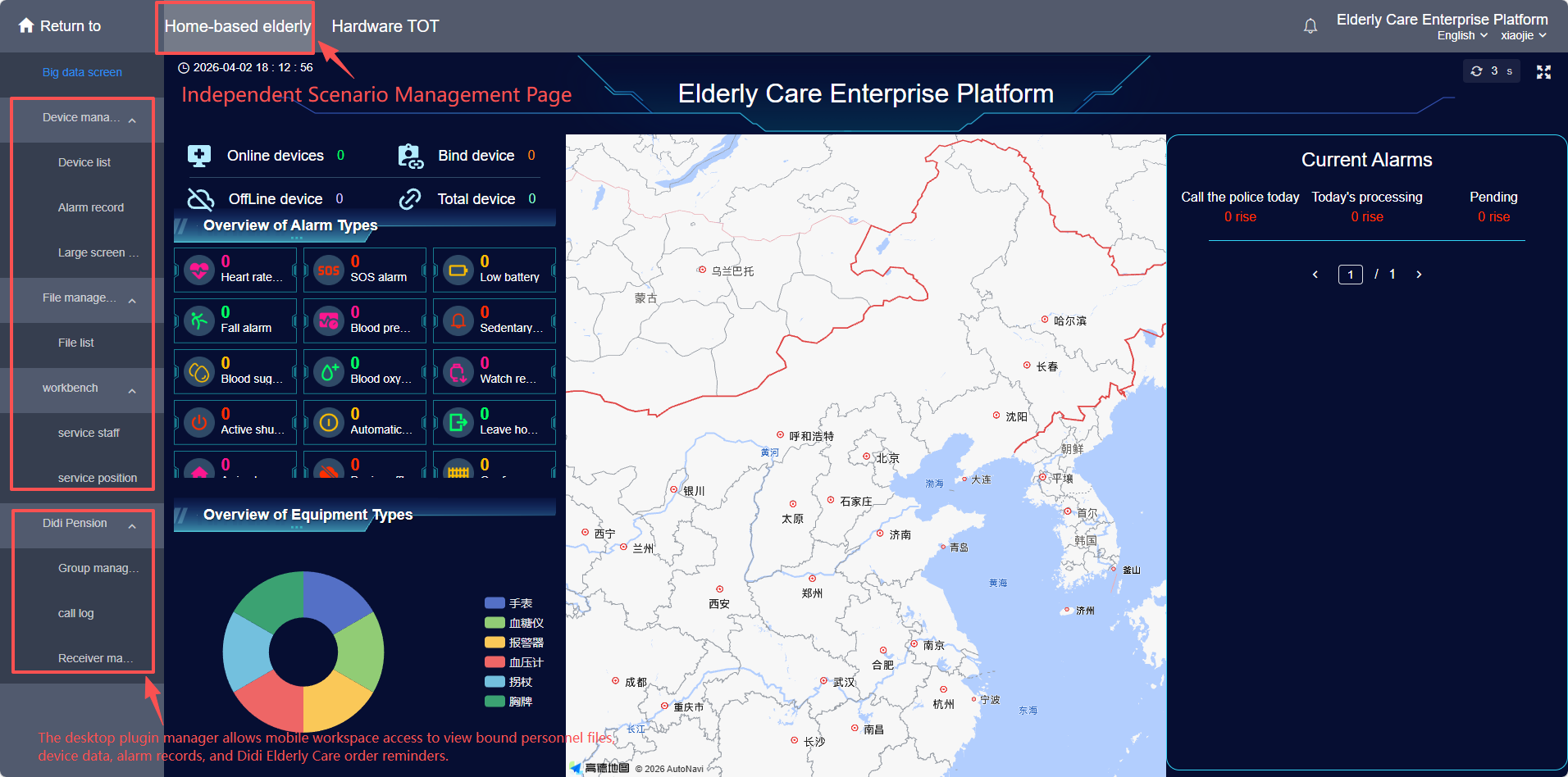
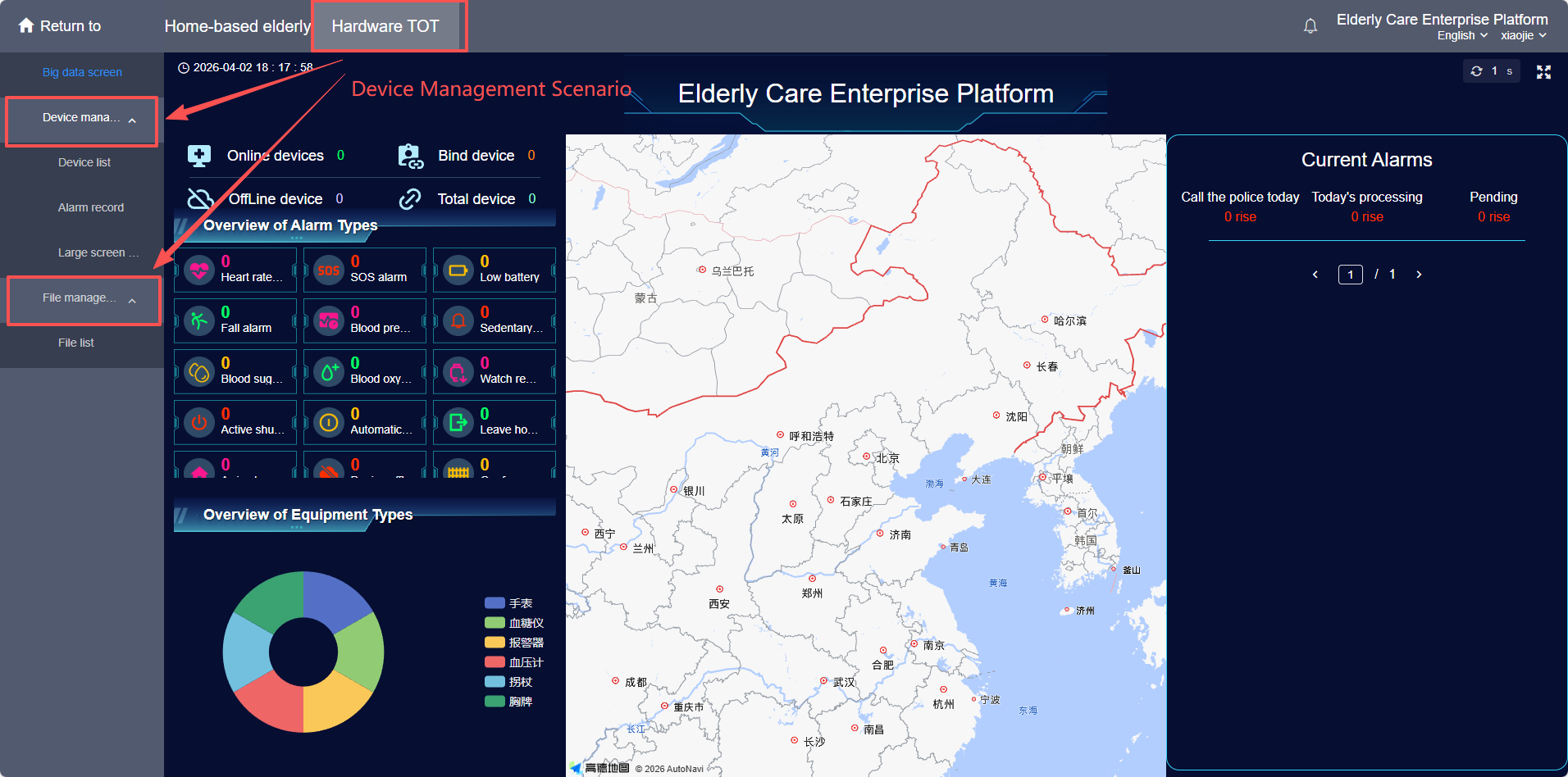
(8)Enter Independent Scene Management
(9)Plugins Associated with Scenes
- Functions are displayed and used in the sidebar with independent management; scenarios of each department operate without mutual interference.